Manual spacing of conduits in Revit is a long and painstaking process. As coordination progresses and segments within a rack are adjusted and moved, spacing can become inconsistent across the rack. The Space Conduit tool lets you easily adjust the horizontal spacing between conduits within single-tier and multi-tier racks in a single action.
Space Conduit adjusts horizontal spacing only and does not adjust the vertical spacing between rows in a multi-tier rack.
The Space Conduit tool is Selection Specific so the steps below reference the Modify tab workflow.
Select the
 segments or runs you want to adjust the spacing for.
In the Modify|Conduit tab, click on the
 Space Conduit tool
  .
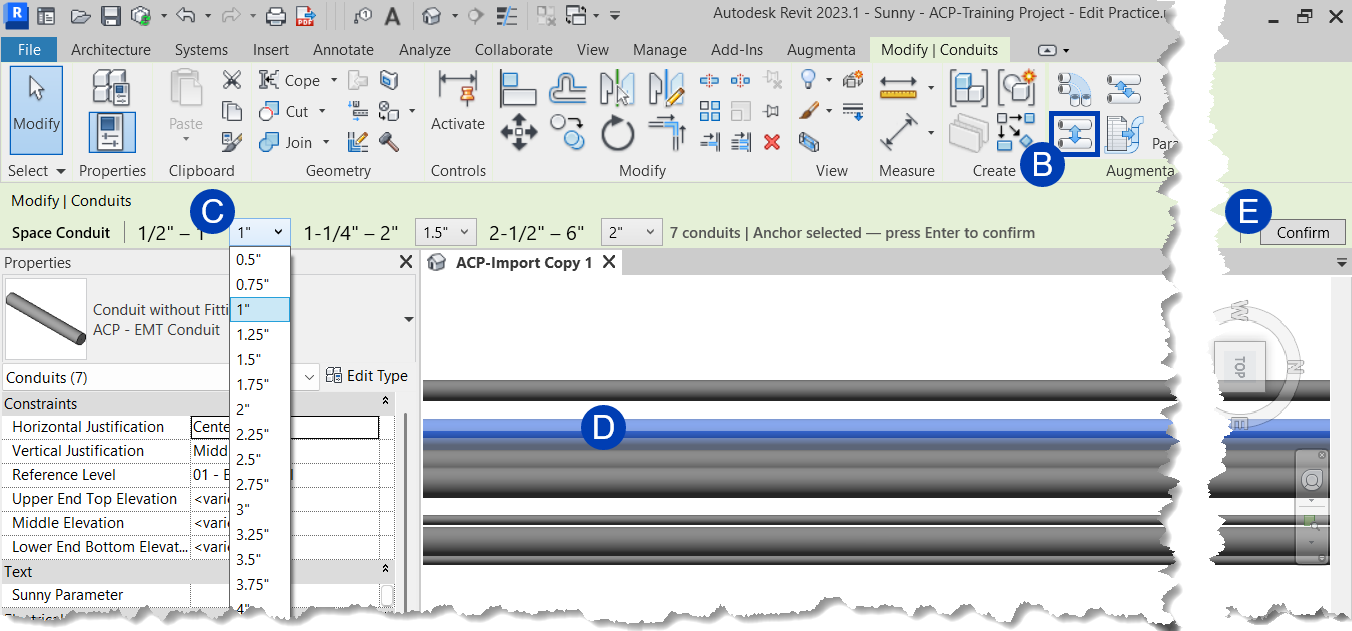
. In the Space Conduit options bar, use the drop-down lists to adjust the spacing for each of the
 conduit size ranges.
 Spacing options start at 1/2” increase by 1/4” increments.
All spacing is based on the edges of the conduit, not the center.
Size ranges include all conduits sized between the listed sizes. (IE: 1/2” - 1” includes the 3/4” conduit size.)
Select an
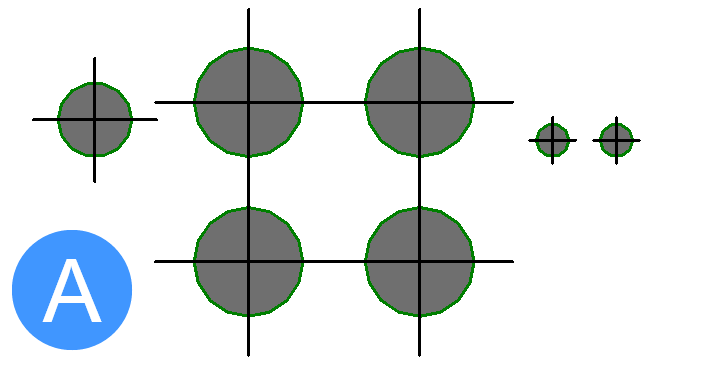
 anchor conduit segment from a run.
 All spacing will begin from the conduit run of the selected segment, and radiate out.
The anchor run stays in place, giving you control over how the rack moves during spacing.
In multi-tier racks, all tiers will
 align horizontally based on the anchor.
Click the
 Confirm button on the right side of the Options Bar to finalize the settings and implement the spacing.
 or press ENTER.
PRO TIP:
To more easily find your spacing, type your desired spacing distance after clicking the dropdown list next to a conduit size range, and it will be highlighted within the list.
Complex racks, or runs with many bends may need to be spaced a few segments at a time to get the best result.
This may be best achieved by:
Deleting the bends attached to any segments at significant junctures (to ensure the runs do not accidentally shift during spacing).
Selecting the smaller section of segments and using the Space Conduit tool
Using the Trim Conduit tool to replace any deleted bends.